
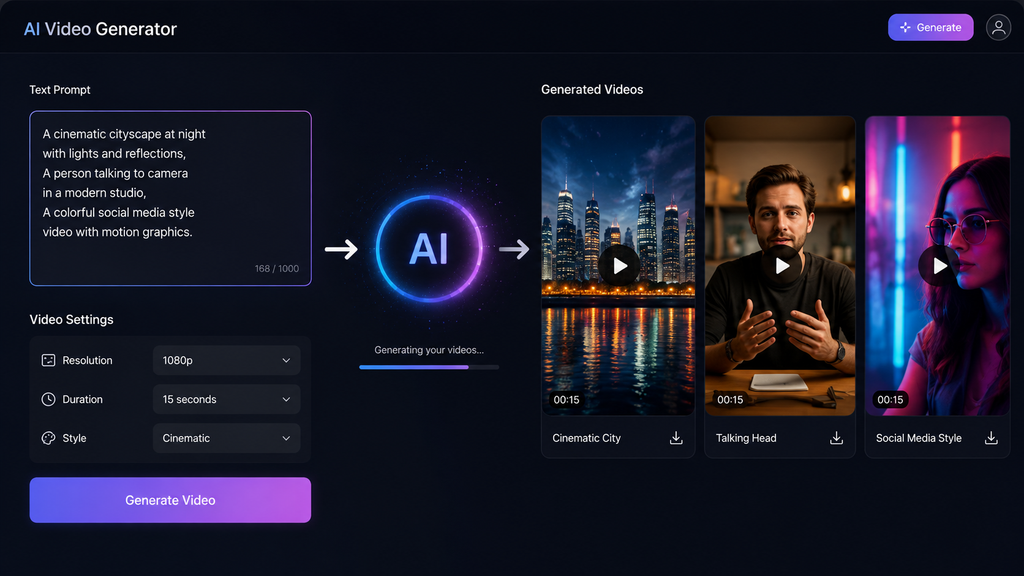
Best AI Text to Video Generators in 2026: Free & Paid Tools Compared
Text to video AI has made it easier to turn ideas, scripts, and simple prompts into video content. Today, these tools can create AI-generated scenes, presenter videos, voiceovers, subtitles, social media videos, and more. Turning an idea, script, or simple prompt into a video used to take a lot of time. Today, text-to-video AI tools can handle much of that work for you. Depending on the platform, you can create AI-generated scenes, presenter videos, voiceovers, subtitles, social media videos, or complete videos from text.
In this guide, I compare some of the best AI text-to-video generators available in 2026. The focus is on what each tool is actually good at, its video-generation workflow, free option, limitations, and who should use it.
One important thing to know: not every tool on this list creates the same type of video. Some turn scripts into complete videos with narration or AI presenters, while others mainly generate short visual clips from text prompts. I’ve kept that difference clear so you can choose the right tool for your needs.
Table of Contents
Best AI Text-to-Video Generators at a Glance
| Tool | Best For | Video Type | Free Option | Main Strength |
|---|---|---|---|---|
| HeyGen | AI presenters | Script → avatar video | Free quota | Realistic AI presenters |
| VEED | Social content | Text/script → edited video | Limited AI credits | AI + video editing |
| Renderforest | Beginners | Text → video/AI clips | Free plan with watermark | Templates + AI |
| Canva | Creators | Prompt → video clips | Free AI allowance | Easy editing |
| Picsart | Social creators | Text/image → AI video | Plan-based AI credits | Creative AI tools |
| Synthesia | Business & presentations | Script → avatar video | Free plan | Professional presenters |
| Pictory | Faceless videos | Script → complete video | 14-day trial | Script-to-video workflow |
| Adobe Firefly | AI visuals | Prompt → video clips | Limited daily generations | Generative video |
| Leonardo AI | Creative visuals | Text/image → video | Free daily tokens | Visual control |
| DeeVid AI | Quick AI video creation | Text/image → video | Availability varies | Simple AI generation |
Free access, credits, limits, and pricing can change, so always check the official plan before purchasing.
What Is Text to Video AI?
Text to video AI is a type of artificial intelligence that turns written instructions into video content.
You can provide a short prompt such as:
“Create a cinematic shot of a futuristic city at night with glowing buildings and moving cars.”
Depending on the tool, the AI may generate a short video clip, complete scenes, an AI presenter, narration, subtitles, or a full video based on your script.
A text to video AI tool can be useful for YouTube creators, social media creators, marketers, educators, businesses, and anyone who wants to create videos without filming everything manually.
How Does Text-to-Video AI Work?
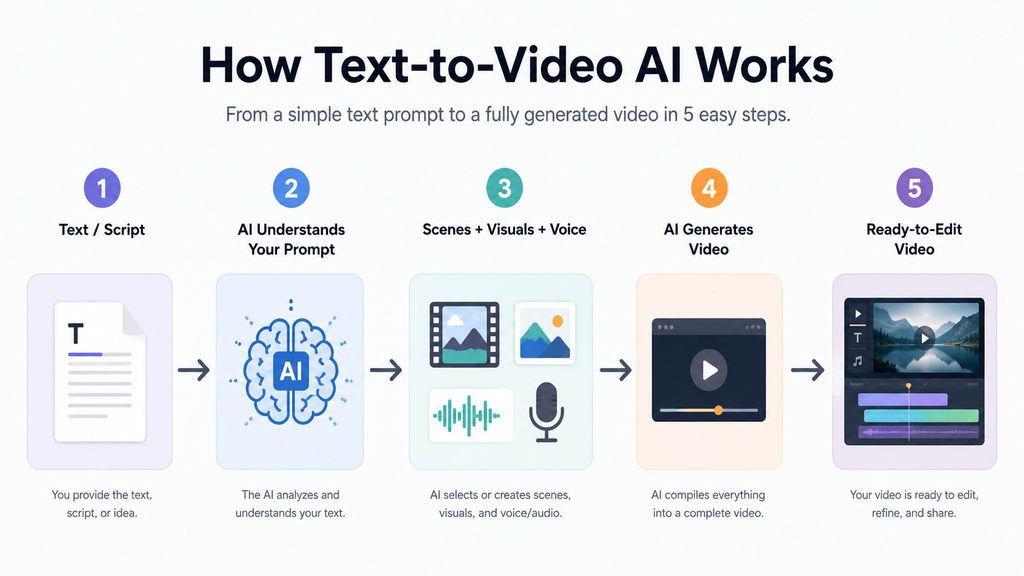
Most AI video generators follow a simple process:
1. Enter Your Text or Script
Start with a prompt, idea, article, or complete script. Some platforms work best with short visual prompts, while others are designed for longer scripts.
2. Choose a Video Style
Depending on the platform, you may be able to choose an avatar, visual style, aspect ratio, voice, template, or AI model.
3. Generate the Video
The AI processes your instructions and creates either a video clip or a complete video.
4. Edit and Customize
Many platforms let you change scenes, text, music, narration, subtitles, colors, or other elements after generation.
5. Export the Video
Once the video looks good, you can export it in the format supported by your plan.
1. HeyGen
Best for: AI presenters and talking-avatar videos
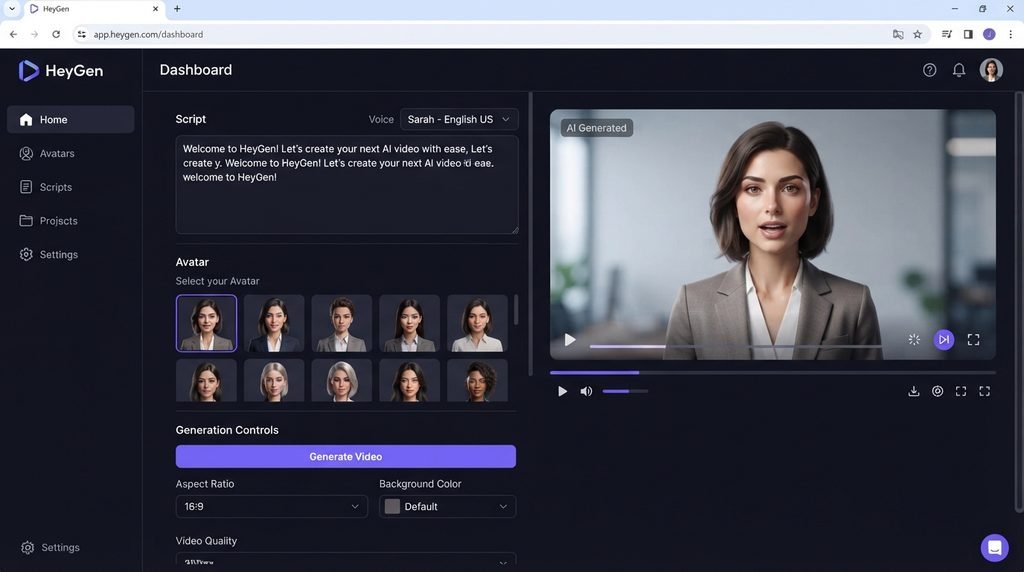
HeyGen is a strong choice if you want to turn a script into a presenter-led video. Instead of generating only cinematic scenes, it focuses heavily on AI avatars, voices, translations, and presenter-style content.
You can choose an avatar, add your script, and generate a video without recording yourself.
Free option: HeyGen currently has a $0 Free plan with up to 3 videos per month, with videos up to 1 minute. The free plan does not use the paid credit system. Paid Creator starts at $29/month and includes 600 credits.
Pros:
- Realistic AI presenters
- Simple script-to-video workflow
- Useful for tutorials and presentations
- Supports many languages
- Free plan available
Cons:
- Free usage is limited
- Best features require a paid plan
- More suitable for presenter videos than purely cinematic AI footage
My Take: Choose HeyGen if your main goal is a realistic AI presenter explaining your script. If you mainly want cinematic AI-generated scenes, another tool may suit you better
2. VEED
Best for: Social media creators and complete video editing
VEED combines AI video generation with a traditional online video editor. You can start with text, a script, or an idea and then continue editing the generated content.
Its AI Video Generator can create video clips from text prompts, while the editor lets you add captions, branding, music, voiceovers, and other elements.
Free option: VEED uses AI Credits for AI video generation. Free-plan AI credits are available in some regions but not others; where available, the free generation can create files up to 12 seconds.
Pros
- AI generation and editing in one place
- Good for social media videos
- Supports multiple AI video models
- Captions and editing tools included
- No credit card required to get started
Cons
- Free AI availability can depend on region
- Different models can have different credit costs
My Take: VEED is especially useful when you don’t just want to generate a clip you also want to edit, caption, resize, and prepare it for social media in the same platform
3. Renderforest
Best for: Beginners and template-based video creation
Renderforest combines templates, online video creation, and AI tools. It can be useful for people who want a simpler workflow instead of learning complicated video-editing software.
Free option: Renderforest has a Free plan that lets users try the platform and create HD videos with a watermark. Its paid plans include AI credits; the current Lite plan lists 400 AI credits per month.
Pros
- Beginner-friendly
- Large template library
- AI tools included
- Free plan available
- Useful for presentations and social content
Cons
- Free exports include a watermark
- AI credits are limited on paid plans
- Not every feature is focused specifically on text-to-video
My Take: Renderforest is a good option if you want AI features together with ready-made templates and a simple editing workflow.
4. Canva
Best for: Social media creators and easy editing
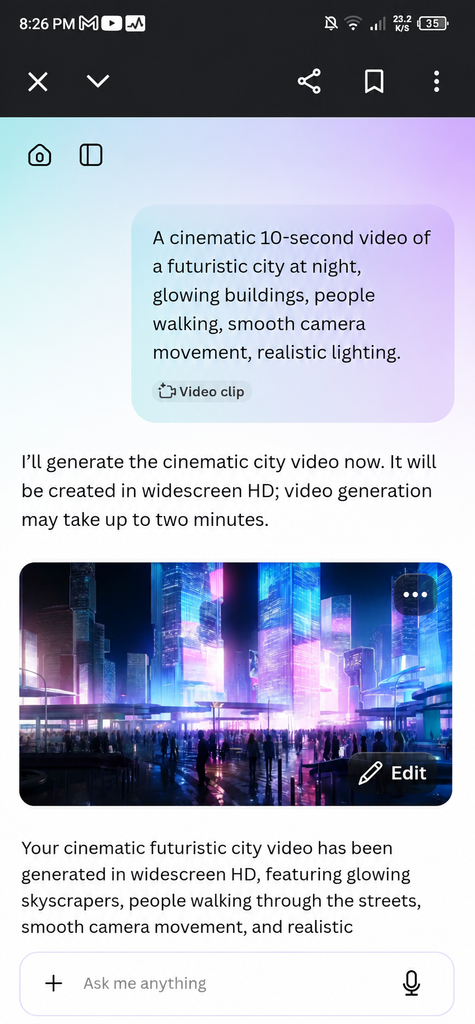
Canva is better known as an all-in-one design platform, but it also includes AI video-generation features. Its Magic Media tools can generate short videos from text descriptions, while Canva AI can also create video clips from prompts.
Free option: Canva has a Free plan with a monthly AI allowance. The current pricing page lists up to 200 Standard AI uses or up to 20 Premium AI uses for Canva Free, although the exact allowance depends on the AI tools you use.
Pros
- Very easy for beginners
- Excellent editing tools
- Templates for YouTube and social media
- AI generation and design in one place
- Free plan available
Cons
- AI usage is limited
- Different AI features consume different amounts of allowance
- Not designed only as a dedicated text-to-video generator
My Take: Canva is a practical choice if you want to generate AI video assets and then immediately edit them into Shorts, social posts, presentations, or other content.
5. Picsart
Best for: Social content and creative AI editing
Picsart combines photo and video editing with generative AI. Its current platform includes AI video generation alongside a large collection of creative editing tools and AI models.
Free option: Picsart uses credits for generative AI features. Credits are allocated according to the subscription plan, and additional credits can be purchased if needed
Pros
- Strong creative editing tools
- AI image and video features
- Useful for social media creators
- Large collection of AI models
- Mobile-friendly workflow
Cons
- Generative AI uses credits
- Advanced features are mainly subscription-based
- The large number of tools can feel overwhelming at first
My Take: Picsart makes more sense for creators who want AI generation plus editing rather than a pure text-to-video workflow.
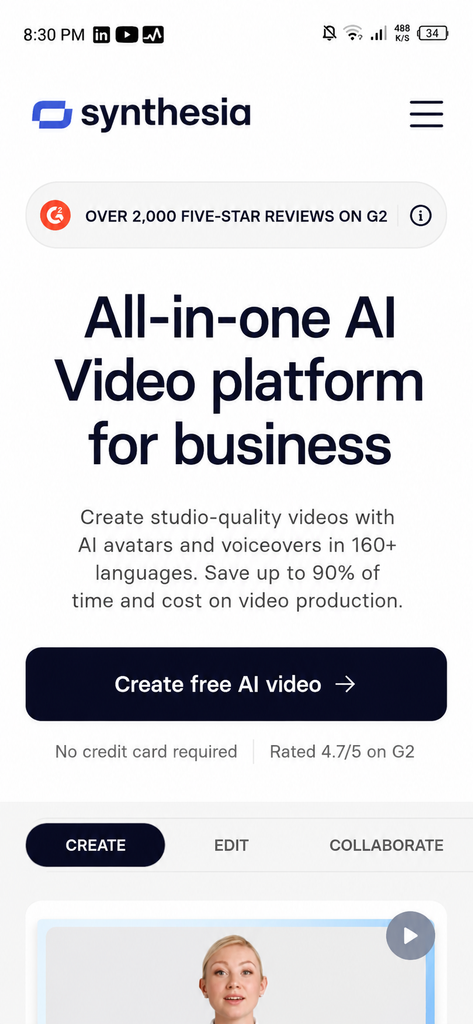
6. Synthesia
Best for: Presentations, training, and professional AI videos
Synthesia focuses heavily on AI avatar videos. You can write a script and create a professional presenter-style video without filming yourself.
Free option: Synthesia currently offers a Basic Free plan with 1,200 credits per month. Its pricing page says this can be used for up to 10 minutes of video per month, while the credit system uses 2 credits per second of video.
Pros
- Professional AI presenters
- Good for educational and business content
- Script-based workflow
- Large avatar selection
- Free plan available
Cons
- Mainly focused on presenter-style videos
- Cinematic scene generation is not its main strength
- Advanced export and features require paid access
My Take: Synthesia is a strong choice when your video needs a professional virtual presenter rather than cinematic AI footage.
7. Pictory
Best for: Faceless YouTube videos and turning scripts into complete videos
Pictory is designed around script-to-video and content-repurposing workflows. It can turn written content into videos while helping with visuals, narration, subtitles, and editing.
Free option: Pictory currently offers a 14-day free trial. After the trial, downloading videos requires a paid subscription. Its paid Starter plan includes AI credits and no watermark.
Pros
- Strong script-to-video workflow
- Useful for faceless content
- Good for repurposing written content
- AI voice options
- Stock media integration
Cons
- Free access is a trial rather than a permanent free plan
- Full exporting requires a paid subscription after the trial
- Less focused on purely generative cinematic clips
My Take: Pictory is worth considering if your goal is to turn scripts, articles, or other written content into complete faceless videos.
8. Adobe Firefly
Adobe Firefly is focused more on generative visual content than traditional script-to-video platforms. You can use text prompts to create video content and combine it with Adobe’s wider creative ecosystem.
Free option: Firefly currently offers limited free daily generations for video, audio, and image creation. Paid Firefly plans use monthly generative credits. Firefly Standard currently includes 2,000 credits per month at $9.99/month, while Firefly Pro includes 4,000 credits at $19.99/month.
Pros
- Strong creative AI ecosystem
- Text-to-video generation
- Useful for B-roll and visual scenes
- Works well with Adobe’s wider tools
- Free daily generations available
Cons
- Free generation is limited
- Video generation uses generative credits
- Better suited to visual clips than complete script-to-video production
My Take: Firefly is a better fit when you need original AI-generated scenes or B-roll rather than an entire narrated video from a long script.
9. Leonardo AI
Best for: Creative AI visuals and image-to-video workflows
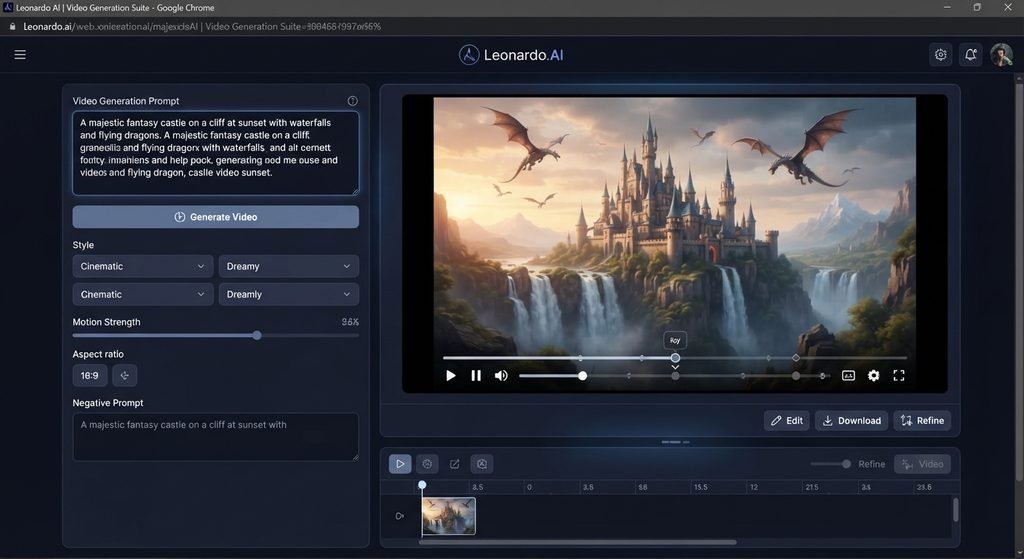
Leonardo AI is known for AI image creation, but it also supports video and motion workflows. It can be useful when you want to create a visual concept and then turn it into moving content.
Free option: Leonardo’s current Free plan costs $0 and includes 150 Fast Tokens per day. Paid plans provide much larger monthly token allowances and additional video-generation capabilities
Pros
- Free daily tokens
- Strong creative image generation
- Useful for image-to-video workflows
- Good visual control
- Suitable for experimenting with AI visuals
Cons
- Token usage depends on the generation
- Some advanced video capabilities require paid plans
- More focused on creative generation than complete script-to-video videos
My Take: Leonardo AI is a good option when visuals are the most important part of your project and you want more control over the creative direction.
10. DeeVid AI
DeeVid AI is designed around simple AI video creation from text and images. It can be useful for creators who want to generate video content without using a complicated editing workflow.
Free option: Free availability and generation limits can change, so check the current DeeVid plan before publishing specific claims about credits, video limits, or watermark removal.
Pros
- Simple workflow
- Text to video capability
- Image to video options
- Beginner friendly concept
Cons
- Free limits can change
- Advanced generation may require paid usage
- Fewer established editing features than larger platforms
My Take: DeeVid AI can be worth trying if you want a straightforward AI video generator, but I would compare its current free limits with other options before choosing it for regular production.
H2: Best AI Text to Video Generator for Different Needs
There isn’t one tool that is best for every type of video. Your best choice depends on what you actually want to create.
Best for AI Presenters
HeyGen and Synthesia are strong choices for presenter-led videos. They are designed around avatars and scripts rather than purely cinematic scenes.
Best for Social Media
VEED, Canva, and Picsart are practical options for social creators because generation and editing can happen in the same workflow.
Best for Faceless Videos
Pictory is a strong option for turning scripts or written content into faceless videos.
Best for AI-Generated Visual Clips
Adobe Firefly and Leonardo AI are better suited when your priority is generating creative visual scenes rather than a complete narrated video.
Best for Beginners
Canva and Renderforest are good starting points because their interfaces combine templates, editing, and AI features.
Best Free AI Text to Video Generators
If your priority is finding a free AI text-to-video generator, don’t look only for a tool that says “free.”
There is a big difference between:
- A permanent free plan
- Limited free AI usage
- Free daily generations
- Free credits or tokens
- A free trial
- A free plan with a watermark
For example, HeyGen has a free monthly video quota, Leonardo AI provides daily Fast Tokens, Canva provides a monthly AI allowance, Adobe Firefly provides limited daily generations, and Synthesia has a free plan with monthly credits.
So before choosing a free text to video AI tool, check exactly what the free option allows
Text to Video AI for YouTube
AI video generators can be useful for YouTube videos, but the best tool depends on your content style.
For faceless videos, a script-to-video platform such as Pictory can be useful.
For presenter-led educational videos, HeyGen or Synthesia can be a better fit.
For Shorts and visual clips, Canva, VEED, Picsart, Firefly, or Leonardo AI may be more useful.
For YouTube, also check:
- Video resolution
- Export limits
- Watermarks
- Voice quality
- Commercial-use rights
- AI credits
- Maximum video length
- Editing options
Text to Video AI for Social Media
Short-form content has different requirements from long YouTube videos.
For Instagram Reels, TikTok-style videos, and YouTube Shorts, look for:
- Vertical 9:16 support
- Fast generation
- Captions
- AI voiceovers
- Easy editing
- Short video generation
- Templates
- Quick export
VEED and Canva are especially convenient when you want to generate content and edit it in the same platform.
Can You Use Text to Video AI Without Login?
Some people search for a text to video AI without login because they want to try a tool immediately.
However, most full-featured AI video platforms require an account before generation or exporting. Free access also doesn’t necessarily mean no login.
If you specifically need a no-login tool, check the current requirements of the service before relying on it. A platform can change its account requirements at any time.
Can You Create Text to Video AI Videos Without a Watermark?
Some platforms offer watermark-free exports on paid plans, while free plans may have restrictions.
This is another reason not to assume that a “free” AI video generator automatically gives you watermark-free videos.
Before publishing or using a video commercially, check:
- Whether the free export has a watermark
- Whether watermark removal requires a subscription
- Whether commercial use is allowed
- Whether generated media has additional restrictions
What Should You Look For in a Text to Video AI Generator?
The cheapest tool isn’t always the best one. Before choosing a platform, consider these factors
Video Quality
Look at motion, detail, consistency, lighting, and how accurately the generated video follows your prompt.
Text and Script Support
Some tools are designed for short prompts, while others can turn a longer script into a complete video.
AI Voices
If your video needs narration, check the available voices, languages, pronunciation, and voice quality
AI Avatars
For presenter videos, check whether the avatars look natural and whether lip-sync quality is good
Editing Features
An AI generator is more useful when you can quickly edit the generated result without moving to another application
Free Limits and Credits
Always check how many generations, seconds, minutes, credits, or tokens are included in the free plan.
Watermark
Check whether free exports contain a watermark.
Commercial Use
If you plan to monetize your videos, check the platform’s current licensing and commercial use terms.
Pros and Cons of AI Text to Video Generators
Pros
- Faster video production
- No camera required
- Useful for faceless content
- Easy for beginners
- Can create visual ideas quickly
- Helpful for YouTube and social media
- Can combine scripts, visuals, voices, and editing
Cons
- Free plans are usually limited
- AI credits can run out quickly
- Video quality varies between tools
- Some tools require paid plans for better exports
- Watermarks may apply to free exports
- Results still need human editing and checking
Are AI Text to Video Generators Worth It?
For many creators, yes.
The biggest advantage is speed. Instead of starting every video from an empty timeline, you can begin with a script or prompt and let AI create a first version.
However, AI does not remove the need for editing. A generated video may still need better pacing, captions, music, scene changes, fact-checking, or manual corrections.
The best approach is to use AI as part of your workflow rather than expecting one click to produce a perfect video every time.
Frequently Asked Questions
What is the best free AI text to video generator?
There isn’t one universal winner. HeyGen, Canva, Leonardo AI, Adobe Firefly, and Synthesia all offer different types of free access, but their limits and workflows are different.
Can I create videos from a script with AI?
Yes. Tools such as HeyGen, Synthesia, Pictory, and VEED can work with scripts, although the final video format differs between platforms.
Is text to video AI free?
Some platforms offer permanent free plans or limited free usage, while others provide free trials or limited credits. Always check the current plan before relying on a tool.
Can AI generate a video without filming?
Yes. Many AI video platforms can generate videos without a camera or traditional filming. Depending on the tool, you can create AI scenes, avatars, narration, or complete videos from text.
Can I use AI-generated videos on YouTube?
In many cases, yes, but you should check the tool’s current commercial-use and licensing terms. You should also make sure your final content follows YouTube’s policies.
What is the difference between text to video and script to video?
Text-to-video usually means generating visual video content from a prompt. Script-to-video usually means turning a longer written script into a more complete video with scenes, narration, captions, avatars, or stock footage.
Final Verdict
AI text-to-video tools have become much more useful for creators in 2026, but the “best” tool depends on what you want to make.
If you want realistic AI presenters, start with HeyGen or Synthesia. For social media editing and AI generation, VEED, Canva, and Picsart are practical choices. For faceless script-based videos, Pictory is worth considering. For creative AI-generated scenes, Adobe Firefly and Leonardo AI are stronger options.
If you’re specifically looking for a free AI video generator from text, don’t choose based only on the word “free.” Look at the actual free quota, credits or tokens, watermark, export quality, video length, and commercial-use restrictions.
The best text to video AI tool is ultimately the one that fits your workflow, budget, and type of content.
Best Video Quality Enhancers in 2026: AI Tools to Improve Video Quality
Best AI Video Background Removers in 2026: Free & Paid Toolshttps://visiohiveaitools.com/best-ai-video-background-removers-in-2026/
