
Best AI Video Background Removers in 2026
Removing a background from a video sounds easy until you actually have to do it. A still image is one thing, but video is different: the subject moves, hair and small details can get messy, and a busy background can make the result look unnatural.
That’s why I looked at some of the most popular AI video background removers and compared them from a practical creator’s point of view. I wanted to know which tools make sense for different needs instead of simply calling one tool “the best.”
In this guide, I’ll compare Canva, Picsart, Adobe Express, CapCut, and Cutout.Pro, including their background-removal features, strengths, limitations, and the type of creator each tool is best suited for.
Table of Contents
Quick Comparison
| Tool | Best For | Free/Paid | Background Removal | Main Limitation |
|---|---|---|---|---|
| Canva | Design & creative work | Free/Premium | Yes | Background remover may require an upgrade |
| Picsart | Photos & creative editing | Free/Premium | Yes | More appealing if you also work with images |
| Adobe Express | Professional-looking editing | Free/Premium | Yes | Background removal is a premium feature |
| CapCut | Shorts & short-form videos | Free/Premium | Yes | Some AI features may require an upgrade |
| Cutout.Pro | Dedicated background removal | Free/Paid credits | Yes | Full processing uses credits |
| Tool | Best For | Free/Paid | Background Removal | Main Limitation |
|---|---|---|---|---|
| Canva | Design & creative work | Free/Premium | Yes | Background remover may require an upgrade |
| Picsart | Photos & creative editing | Free/Premium | Yes | More appealing if you also work with images |
| Adobe Express | Professional-looking editing | Free/Premium | Yes | Background removal is a premium feature |
| CapCut | Shorts & short-form videos | Free/Premium | Yes | Some AI features may require an upgrade |
| Cutout.Pro | Dedicated background removal | Free/Paid credits | Yes | Full processing uses credits |
| Tool | Best For | Free/Paid | Background Removal | Main Limitation |
|---|---|---|---|---|
| Canva | Design & creative work | Free/Premium | Yes | Background remover may require an upgrade |
| Picsart | Photos & creative editing | Free/Premium | Yes | More appealing if you also work with images |
| Adobe Express | Professional-looking editing | Free/Premium | Yes | Background removal is a premium feature |
| CapCut | Shorts & short-form videos | Free/Premium | Yes | Some AI features may require an upgrade |
| Cutout.Pro | Dedicated background removal | Free/Paid credits | Yes | Full processing uses credits |
| Tool | Best For | Free/Paid | Background Removal | Main Limitation |
|---|---|---|---|---|
| Canva | Design & creative work | Free/Premium | Yes | Background remover may require an upgrade |
| Picsart | Photos & creative editing | Free/Premium | Yes | More appealing if you also work with images |
| Adobe Express | Professional-looking editing | Free/Premium | Yes | Background removal is a premium feature |
| CapCut | Shorts & short-form videos | Free/Premium | Yes | Some AI features may require an upgrade |
| Cutout.Pro | Dedicated background removal | Free/Paid credits | Yes | Full processing uses credits |
| Tool | Best For | Free/Paid | Background Removal | Main Limitation |
|---|---|---|---|---|
| Canva | Design & creative work | Free/Premium | Yes | Background remover may require an upgrade |
| Picsart | Photos & creative editing | Free/Premium | Yes | More appealing if you also work with images |
| Adobe Express | Professional-looking editing | Free/Premium | Yes | Background removal is a premium feature |
| CapCut | Shorts & short-form videos | Free/Premium | Yes | Some AI features may require an upgrade |
| Cutout.Pro | Dedicated background removal | Free/Paid credits | Yes | Full processing uses credits |
How I Compared These AI Video Background Removers
I didn’t want to compare these tools just by counting features. For someone trying to remove a video background, the more important question is whether the tool actually makes the job easier.
I looked at:
- Ease of removing the background
- How useful the tool is for moving subjects
- Handling of hair and fine details
- Export options and quality
- Free versus paid access
- Whether the tool is better for Shorts, design, professional editing, or dedicated background removal
- How practical it feels for a regular creator
I’ve included my own observations where I actually used a feature. For the tools I didn’t personally test, I’ve kept the descriptions based on the tool’s available features rather than pretending I tested them.
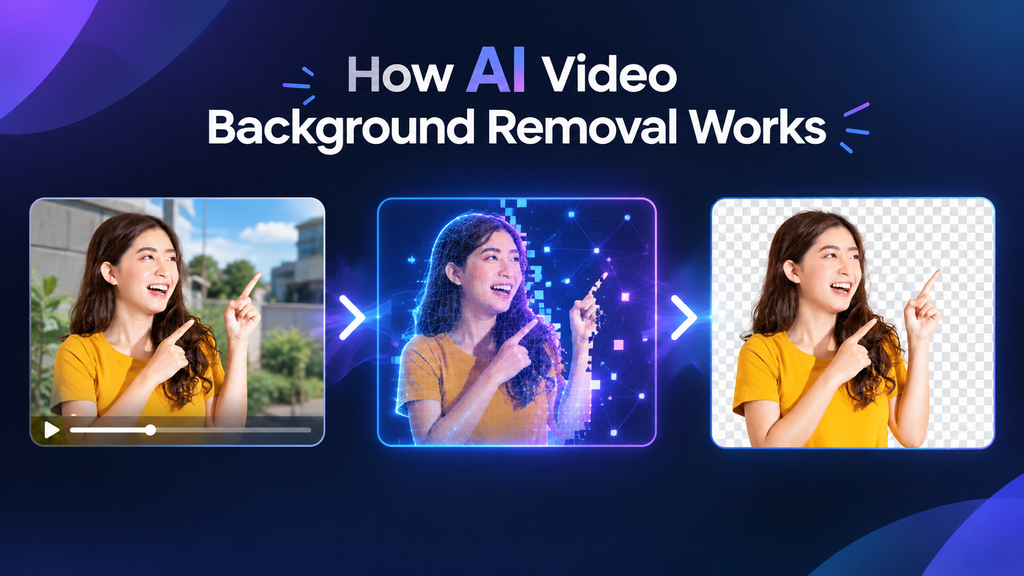
1. Canva
Canva is a strong option if you already use it for social media designs, presentations, thumbnails, or other creative projects.
Its video background remover is designed to remove a video’s background without needing a traditional green screen
What I Found
I tried Canva’s video background remover and found the result good for the video I was working with. The main catch was that the background-removal feature required an upgrade in my workflow.
I also liked the fact that I could download the finished video. In my test, the downloaded result did not have a watermark.
For me, Canva’s biggest advantage is that background removal is part of a much larger design environment. If I’m already creating a visual project, I don’t have to move everything into another editor
Pros
- Easy to understand interface
- Useful combination of video editing and graphic design
- Good option for creative projects
- Simple background-removal workflow
- Convenient for social media content
Cons
- Background removal may require a paid plan
- Not my first choice for advanced video editing
Best For
Canva is best for creators who want to remove a video background while also working on designs and other visual content.
2. Picsart
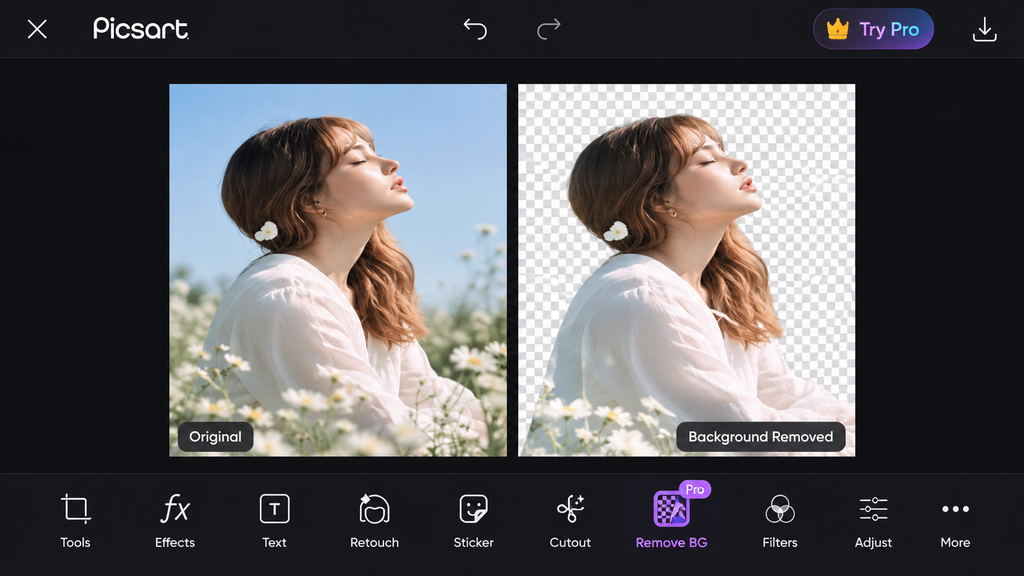
Picsart is widely known for creative photo editing, but it also offers an AI video background remover.
The workflow is straightforward: upload a video, remove the background, and then replace it with another image or color if needed.
What Makes Picsart Useful?
What makes Picsart interesting is that it combines video editing with the kind of creative image-editing tools many creators already use.
Personally, I find Picsart more appealing for photos, pictures, and mixed creative work than as my first choice for dedicated video editing.
Its official video background-removal tool is presented as free to use, although specific features and limits can depend on the workflow or account.
Pros
- Simple creative editing experience
- Useful for both images and videos
- AI-powered video background removal
- Background can be replaced with another visual
- Good option for creators who already use Picsart
Cons
- would choose other tools for a more dedicated professional video-editing workflow
- Feature availability can vary depending on the tool or account
Best For
Picsart is best for creators who work with both images and videos and want creative editing tools in one place.
3. Adobe Express
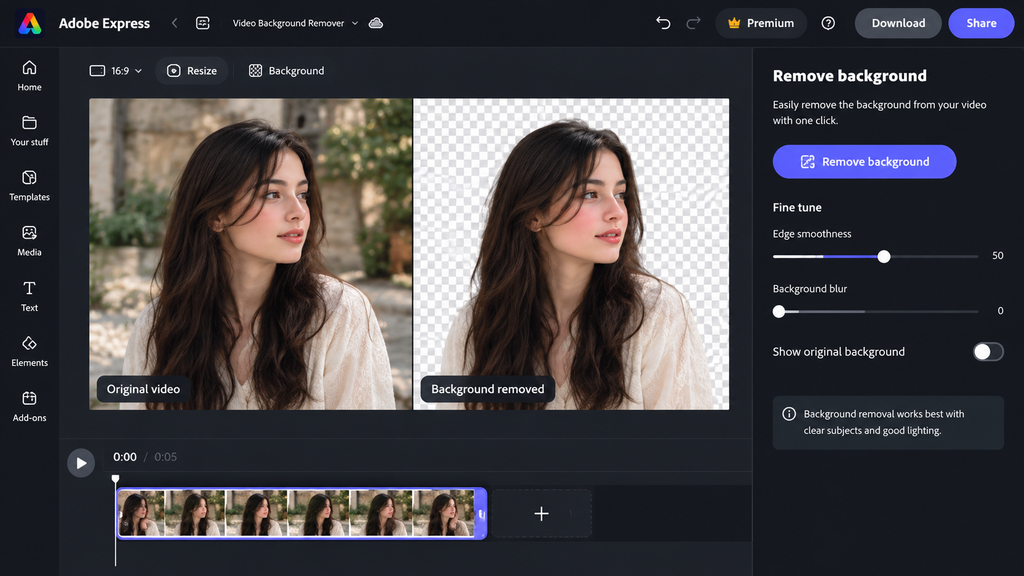
If your priority is a more professional-looking editing experience, Adobe Express is the one I would personally look at first.
Adobe Express combines simple editing with Adobe’s wider creative ecosystem, making it useful for people who want more than basic background removal.
What I Found
In my experience with Adobe Express, the editing environment felt very good when I wanted a polished result.
The main drawback for me was cost. The video background-removal feature required a paid upgrade in my workflow, so I wouldn’t pay for it just to remove a background once or twice.
If you create content regularly and want a more professional editing environment, however, the paid option can make more sense.
Pros
- Polished editing experience
- Simple AI background removal
- Useful creative editing ecosystem
- Background replacement options
- Good choice for creators who want more than basic editing
Cons
- Background removal is a premium feature
- May be unnecessary if you only need occasional background removal
Best For
Adobe Express is best for users who want a more professional-looking editing workflow and are comfortable paying for premium features.
4. CapCut
For Shorts, Reels, TikTok-style videos, and other short-form content, CapCut is one of the most practical options to consider.
Instead of removing a background and then opening another editor, you can keep the process inside a video-editing environment designed around short-form content.
What I Found
For Shorts editing, CapCut would be one of my first choices.
There is one important limitation I noticed, though: in my current workflow, the AI background-removal feature required an upgrade. So I wouldn’t assume that every background-removal feature is available for free on every account or platform.
For me, CapCut’s biggest advantage is the overall editing workflow. Background removal is only one part of what I can do with a short-form video.
Pros
- Very convenient for Shorts and short-form content
- Background replacement and editing tools in one place
- Easy-to-use interface
- Useful manual refinement options
- Multiple export settings
Cons
- Some AI features may require an upgrade
- Not necessary if you only need background removal
Best For
CapCut is best for creators making Shorts, Reels, TikTok-style videos, and other short-form content.
5. Cutout.Pro
Cutout.Pro takes a more dedicated approach to AI image and video processing.
Its video background remover can automatically separate a subject from its background without requiring a green screen.
It supports formats including MP4, WEBM, MOV, and GIF, and its listed video processing specifications include resolutions up to 4K and files up to 2GB.
What Makes Cutout.Pro Useful?
If your main problem is simply I need to remove this video’s background, a dedicated tool such as Cutout.Pro can be worth considering.
The free option is limited. Cutout.Pro offers a short, low-resolution preview, while full video processing uses credits.
I haven’t personally tested Cutout.Pro’s full workflow, so I wouldn’t describe these features as my own test results. They are included here based on the tool’s current information
Pros
- Focused on AI media processing
- Automatic video background removal
- Supports several common video formats
- Lists support for up to 4K video
- Useful when background removal is the main requirement
Cons
- Full processing can require credits
- Free preview is limited
- Not a complete video-editing environment like some alternatives
Best For
Cutout.Pro is best for users who mainly need dedicated AI background removal rather than a complete video editor.
What Makes a Good AI Video Background Remover?
A one-click button doesn’t automatically mean the result will be good. The real difference becomes obvious when the video has movement, fine details, or a complicated background.
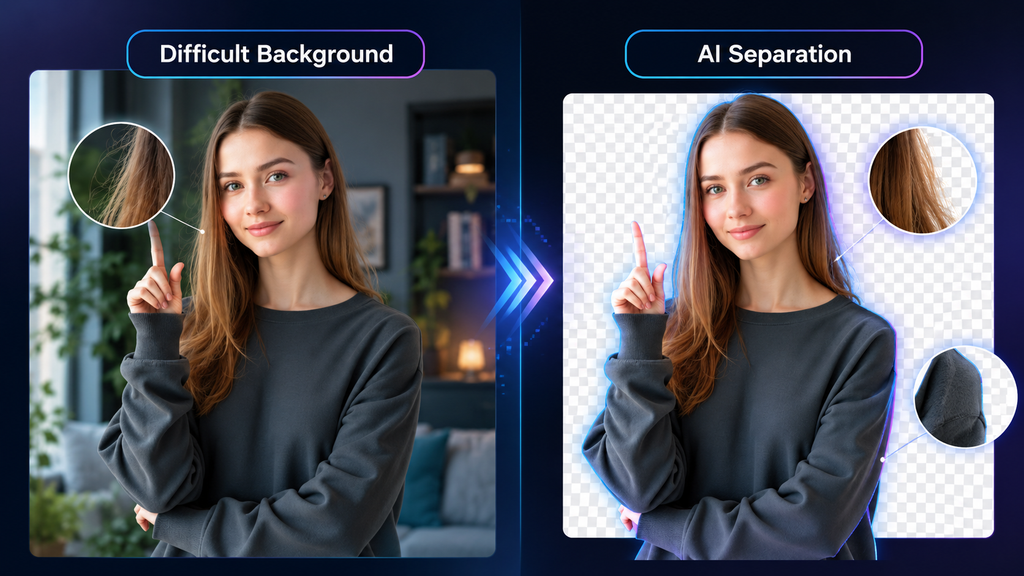
Hair and Fine Details
Hair, thin objects, and small details can be difficult for AI to separate from a background.
A good result should keep important details while avoiding rough or obviously cut-out edges.
Moving Subjects
Video is more demanding than a single image because the subject changes position throughout the clip.
A useful AI video background remover should keep the subject separated consistently instead of looking good on only one frame.
Difficult Backgrounds
A plain background is usually easy. Busy scenes are where you start seeing bigger differences between tools.
Similar colors between the subject and background can also make the removal less accurate.
Export Quality
Background removal is only half the job.
You also need to look at the downloaded video. A good preview is not enough if the final export becomes heavily compressed or loses important detail.
Transparent Video Backgrounds
If you want to place the subject over another video or design, check what kind of transparent output the tool actually provides.
“Background removed” does not necessarily mean every platform gives you the same transparent-video workflow.
Free vs Paid AI Video Background Removers
You don’t necessarily need to pay for a premium editor just to remove a background from a video.
If you only need the feature occasionally, a free option or limited preview may be enough.
But if you create videos regularly, paying for an editing platform can make more sense when it also gives you other useful tools, better export options, or additional AI features.
So instead of asking only Which tool is cheapest?, I would ask: Which tool gives me the features I’ll actually use?
Which AI Video Background Remover Should You Choose?
Here’s how I would narrow it down:
- Choose Adobe Express if you want a more professional-looking editing experience and don’t mind paying for premium features.
- Choose CapCut if your main focus is Shorts and other short-form videos.
- Choose Canva if you want background removal alongside design and creative work.
- Choose Picsart if you regularly work with both photos and videos.
- Choose Cutout.Pro if dedicated background removal is your main goal.
What I Would Choose
If I wanted a more professional editing experience and budget wasn’t my main concern, I would choose Adobe Express.
But Adobe isn’t affordable or necessary for everyone. If I were mainly making Shorts and everyday social media videos, I’d choose CapCut as the more practical option.
For design-heavy creative work, I’d go with Canva. And if I only cared about removing a video background rather than editing the entire video, I’d consider Cutout.Pro.
That’s why I don’t think there is one universal winner. The right choice depends on what you’re actually trying to make
Final Verdict
The best AI video background remover depends on what you need it for.
Adobe Express stands out to me when the priority is a more professional-looking editing workflow. CapCut is a practical choice for Shorts and short-form content, while Canva makes more sense when video editing is part of a larger design project.
Picsart is worth considering if you work heavily with images as well as videos, and Cutout.Pro is a useful option when dedicated background removal is your main requirement.
Before paying for any tool, I’d recommend checking the feature you actually need on your account first. AI tools change their plans and feature availability regularly, so a feature that is free today may not have the same limits later.
For me, the best tool isn’t the one with the longest feature list. It’s the one that removes the background cleanly and fits naturally into the way I create videos.
Text to Video AI Generators in 2026: Best Free & Paid Tools Compared
Text to Video AI Generators in 2026Text to Video AI Generators in 2026: Best Free & Paid Tools Compared
Best AI Tools to Remove Filler Words from Video in 2026Best AI Tools to Remove Filler Words from Video in 2026
