
Best AI Tools to Turn Long Videos into Shorts in 2026: 10 Tools Compared
Long videos can contain dozens of great moments, but finding those moments manually can take a lot of time. A podcast, interview, tutorial, livestream, or YouTube video may be an hour long, while only a few parts are perfect for YouTube Shorts, TikTok, or Instagram Reels.
This is where AI can make the process much easier.
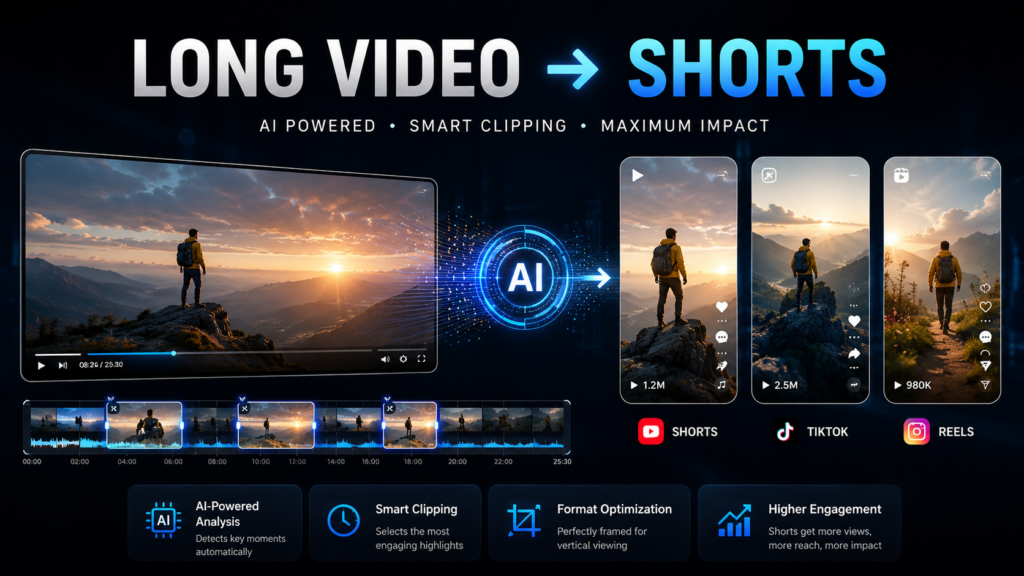
An AI tool to turn long videos into shorts can analyze a longer video, identify potentially useful moments, and turn them into shorter clips. Depending on the tool, it can also add captions, reframe the video vertically, remove filler words, and prepare the clips for social media.
I researched several options for this article because I wanted to see what actually makes these tools different. Some focus heavily on automatic clipping, while others give you more editing control after the AI has created the clips.
So instead of simply listing random AI tools, this guide compares 10 options and explains what each one is best suited for.
Table of Contents
What Is Long Video to Short Video AI?
Long video to short video AI refers to software that uses artificial intelligence to find useful sections inside longer videos and turn them into shorter, social-media-friendly clips.
For example, instead of watching a one-hour podcast and manually searching for interesting moments, an AI video clip tool can analyze the recording and suggest sections that could work as individual Shorts.
Depending on the platform, the process can include:
- Finding interesting moments
- Creating multiple short clips
- Automatically reframing videos into vertical format
- Adding captions
- Removing filler words or silence
- Creating hooks or titles
- Adjusting clips for social media
The important thing to remember is that AI is helping with the repetitive part of editing. You should still review the final clips before publishing them.
Why Turn Long Videos Into Shorts With AI?
Long-form videos can take a lot of effort to produce. Creating completely new short-form content for every platform can add even more work.
Repurposing solves part of that problem.
One long video can potentially become several pieces of short-form content. A podcast episode, for example, could produce multiple clips instead of being used only once.
This can help creators:
- Save editing time
- Create more content from existing videos
- Reach short-form audiences
- Reuse podcasts and interviews
- Create YouTube Shorts more efficiently
- Prepare content for TikTok and Instagram Reels
The biggest advantage is not that AI creates a perfect Short automatically. The real advantage is that it can make the first stage of finding and preparing clips much faster.
My Experience Researching AI Video Clip Tools
When I started researching long video to short video AI, I expected it to be straightforward.
It wasn’t.
I searched Google using different phrases, including long video to short video AI, turn long videos into shorts AI, and AI video clip tool. I found many platforms offering similar promises, but once I opened them, the features and workflows were quite different.
I also noticed that some results made it difficult to understand what was actually included in the free version. I would open one tool, check its features, go back to Google, and compare it with another.
That experience made one thing clear to me: the tool with the biggest feature list isn’t necessarily the best tool for every creator.
For someone who already works with short-form content, things like captions, vertical framing, clip selection, ease of use, and how much editing is still needed after AI processing matter a lot.
That’s why I decided to compare these tools based on their actual workflow rather than simply calling one of them “the best.”
10 Best AI Tools to Turn Long Videos Into Shorts
1. HeyGen
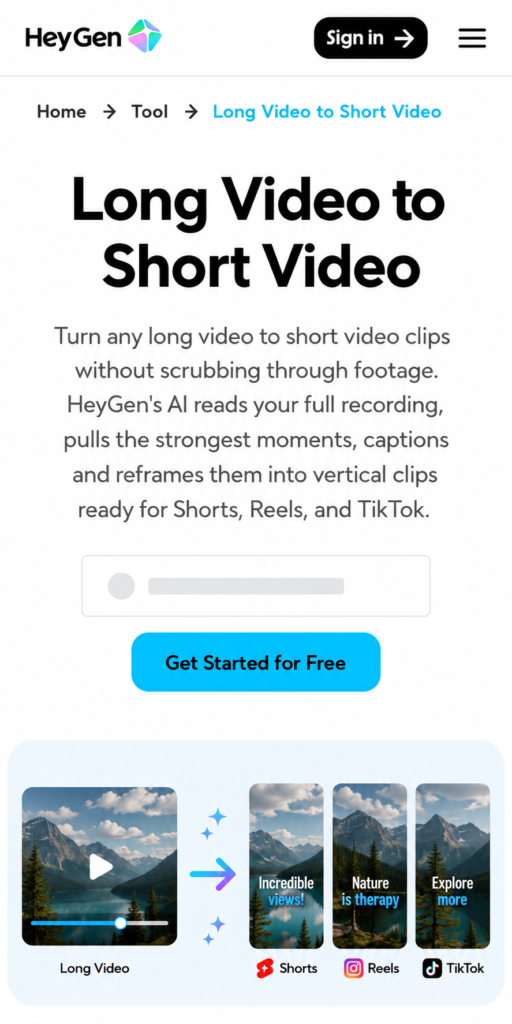
HeyGen is one of the options worth considering if you want an automated long-to-short workflow.
Its long-video-to-short tool analyzes a full recording, identifies strong moments, adds captions, and reframes clips vertically for platforms such as YouTube Shorts, Reels, and TikTok.
Pros
- Automatically identifies potential clip-worthy moments
- Built-in animated captions
- Vertical reframing
- Designed for Shorts, Reels, and TikTok
- Can save time when working with longer recordings
Cons
- AI-selected moments still need human review
- The platform has many other AI features, which may be unnecessary if you only need basic clipping
- Some features use paid/premium credits depending on the plan
Best for: Creators who want long video repurposing alongside a broader AI video platform
OpusClip
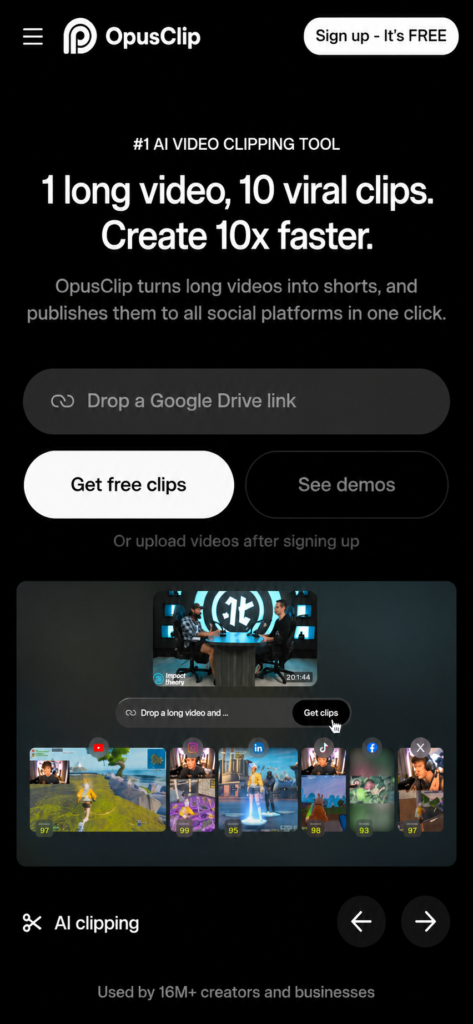
Opusclip is strongly focused on turning long videos into short-form content.
It can automatically clip videos, generate captions, reframe footage, and help publish content to social platforms. Its current free plan provides 60 credits per month, with limitations such as watermarks and a three-day export window.
Pros
- Strong long-to-short workflow
- Automatic AI clipping
- Captions and reframing
- Supports many video sources on paid plans
- Useful for creating multiple clips from one video
Cons
- Free plan has important limitations
- Generated clips still need checking
- Advanced features are mainly aimed at paid users
Best for: Creators who want to turn one long video into several Shorts quickly.
Vizard
Vizard focuses on AI-powered video repurposing.
It can automatically detect interesting moments, create short clips, generate subtitles, and reframe videos for social platforms. Vizard’s current documentation supports long videos up to 600 minutes and files up to 10GB, with exported clips maintaining the original video’s resolution

Pros
- Automatic highlight detection
- Subtitle generation
- Flexible clip lengths
- Vertical reframing
- Supports long-form content and multiple social platforms
Cons
- AI selections aren’t always perfect
- You may still want to edit the clips manually
- Some advanced workflows are better suited to regular creators and teams
Best for: Creators who want AI clipping plus more control over the final edit.
VEED
Veed combines AI clipping with a browser-based video editor.
Its Clips feature can find highlights from long form videos, add subtitles, center the speaker, remove filler words, and format the result for social media. VEED currently says its free plan allows one trial use of the Clips feature, while paid plans provide more access
Pros
- AI-powered clip selection
- Captions and subtitles
- Speaker-centered framing
- Browser-based editor
- More control after generating clips
Cons
- Free access is limited
- The large number of features can feel overwhelming
- AI clips should still be reviewed
Best for: Creators who want AI clipping and a full online editing environment.
Klap
Klap is built specifically around converting long videos into short-form clips.
Its current long-video converter says it can analyze a long video and generate multiple short clips, with features such as AI reframing and captions. Klap also says its converter can process videos up to four hours and offers one free video without requiring a credit card.
Pros
- Specifically designed for long-to-short conversion
- Automatic highlight detection
- AI reframing
- Captions
- Easy browser based workflow
- Free trial video available
Cons
- Automatic selections can still need editing
- Better suited to creators who regularly repurpose long-form content
- More advanced usage may require a paid plan
Best for: Creators who want a simple long-video-to-Short workflow
Descript
Descript akes a slightly different approach to video editing by making the transcript an important part of the workflow.
This can be particularly useful for podcasts, interviews, tutorials, and talking-head videos where the spoken words are the main content.
Pros
- Transcript-based editing
- Useful for spoken content
- Good balance of AI and manual control
- Helpful for removing unwanted sections
- Suitable for podcasts and interviews
Cons
- Less hands-off than dedicated AI clipping platforms
- You may need more manual editing
- Not specifically designed only for automatic Shorts generation
Best for: Creators who want control over exactly which parts of a long conversation become short clips.
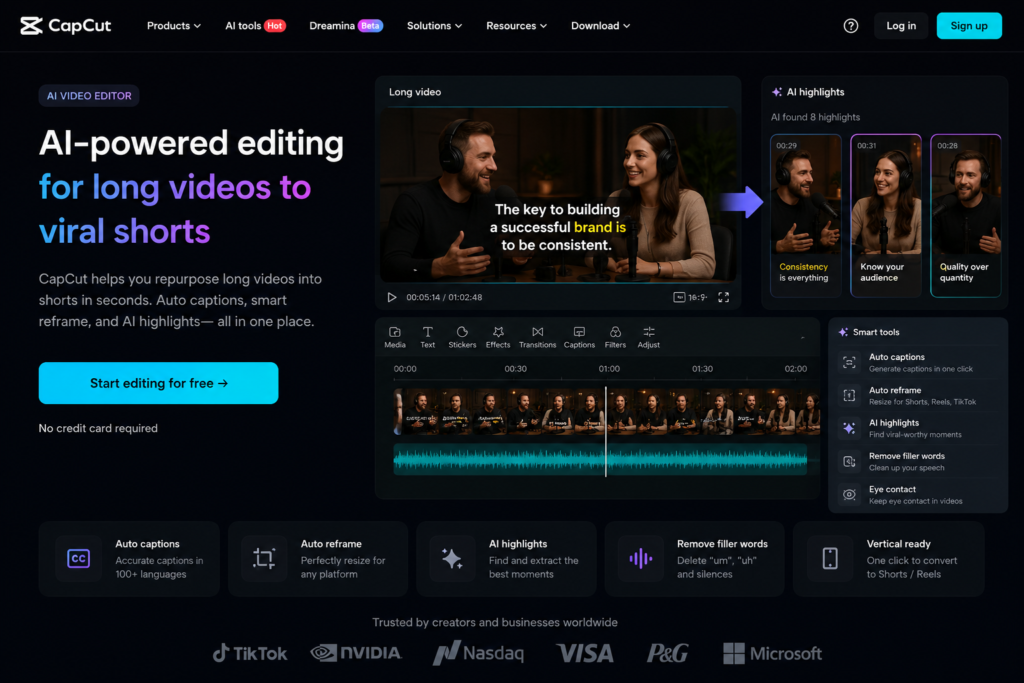
CapCut
Capcut is especially useful for creators who prefer editing on mobile.
Rather than relying on it only as an automatic long-to-short converter, it can be valuable after you have selected a clip. You can then add captions, text, effects, transitions, music, and other finishing touches.
Pros
- Strong mobile editing workflow
- Easy to customize clips
- Captions and text tools
- Large selection of editing features
- Good for final polishing
Cons
- More manual editing may be required
- Not as focused on automatic long-video clipping as dedicated platforms
- Feature availability can vary
Best for: Mobile creators who want to personally polish their Shorts after AI-assisted clipping
Riverside
Riverside is particularly relevant for podcasts, interviews, and other long-form recordings.
For creators who already record long conversations on the platform, turning parts of those recordings into shorter social clips can fit naturally into the same workflow.
Pros
- Good for podcasts and interviews
- Long-form recording workflow
- Useful for repurposing content
- Short-form editing features
- Convenient for creators already using Riverside
Cons
- More features than necessary if you only want a simple clip generator
- Best suited to recording and repurposing workflows
- Some features depend on the selected plan
Best for: Podcasters and interview creators.
Kapwing
Kapwing is a browser-based video editing platform that can fit into a long-to-short workflow.
It is useful when you want AI assistance but still want to make your own adjustments before publishing.
Pros
- Works in the browser
- Editing and AI features in one place
- Social-media-friendly workflow
- Useful for manual adjustments
- Good for creators who don’t want desktop software
Cons
- Some features are paid
- More editing-oriented than fully automatic clipping
- AI output still requires review
Best for: Creators who want browser-based editing and AI assistance together.
Submagic
Submagic is especially useful for the finishing stage of short-form content, particularly captions and visual styling.
It isn’t necessarily the first tool I’d choose when the only goal is finding clips inside a one-hour video. But once you have a strong clip, tools focused on captions and presentation can make the final Short much more engaging and readable.
Pros
- Strong caption-focused workflow
- Short-form styling
- Useful for adding visual polish
- Designed around social media content
Cons
- Not primarily a long-video clip finder
- Better as part of a larger workflow
- Some advanced features require paid access
Best for: Creators who already have clips and want better captions and short-form presentation.
Quick Comparison of the 10 AI Video Tools
| Tool | Best For | Main Strength | Free Option |
|---|
| HeyGen | AI repurposing | Automatic clips + captions | Yes |
| OpusClip | Automatic clipping | Long-to-short workflow | Yes |
| Vizard | Repurposing + editing | AI clipping + customization | Yes/limited |
| VEED | Online editing | AI Clips + editor | Limited |
| Klap | Quick Shorts | Automatic highlight selection | Yes, limited |
| Descript | Podcasts/interviews | Transcript editing | Yes/limited |
| CapCut | Mobile editing | Manual polishing | Yes |
| Riverside | Podcasts | Recording + repurposing | Plan-dependent |
| Kapwing | Browser editing | AI + manual editing | Yes/limited |
| Submagic | Short-form styling | Captions | Limited |
What Should You Look for in an AI Shorts Generator?
Choosing an AI Shorts generator isn’t just about finding the tool that produces the most clips.
Clip Selection
The AI should identify moments that make sense outside the original long video.
A clip can sound interesting inside a podcast but become confusing when removed from its original context.
Captions
Captions are especially important for short-form videos because many people watch social content with sound turned down or off.
Look for tools that let you customize caption style and placement.
Vertical Reframing
A horizontal podcast or YouTube video usually needs to be reformatted for a vertical screen.
Automatic reframing can save a lot of manual work.
Editing Control
Automation is useful, but you should still be able to change the beginning, ending, captions, or framing when necessary.
Free Usage
If you’re specifically searching for long video to short video AI free, don’t stop at the word “free.”
Check whether the free version includes watermarks, limited credits, lower quality, or restricted exports.
Are There Free AI Tools to Turn Long Videos Into Shorts?
Yes. Several platforms offer free plans, free credits, or limited free trials.
For example, OpusClip currently lists a free plan with monthly credits, while Klap offers one free video on its long-video converter. VEED also provides a one-time free use of its Clips feature.
However, free doesn’t necessarily mean unlimited.
If you’re only experimenting, a free option can be enough. If you’re producing Shorts regularly, you may eventually need more credits, higher-quality exports, or additional editing features.
My Final Take
After researching these tools, I don’t think there is one AI video clip tool that is automatically perfect for every creator.
If your main goal is automatically turning long videos into multiple Shorts, tools such as OpusClip, Klap, Vizard, and HeyGen are strong options to explore.
If you want more control after the AI creates the clip, VEED, Descript, Kapwing, or CapCut may fit your workflow better.
And if your content is mainly podcasts or interviews, Riverside and Descript become more interesting choices.
The biggest lesson for me is that AI should make editing easier, not remove your judgment completely.
A tool can find a potentially great moment, but you are still the person who knows whether that moment actually works as a Short.
So before committing to any platform, upload one of your own videos, try the workflow, check the generated clips, and see how much editing you still need to do.
The best long video to short video AI tool isn’t necessarily the one with the most features. It’s the one that saves you time while still giving you Shorts that you would actually want to publish.
Frequently Asked Questions
What is the best AI tool to turn long videos into Shorts?
There isn’t one universal winner. OpusClip, Klap, Vizard, and HeyGen are strong options for automatic long-to-short conversion, while other tools may be better if you want more manual editing control.
Can AI turn a long video into multiple Shorts?
Yes. Several AI platforms can analyze a long recording and identify multiple moments that can be turned into separate short clips.
Is there a free AI tool to turn long videos into Shorts?
Yes. Some platforms offer free credits, free trials, or limited free plans. The exact limits vary by platform and can change over time.
Can AI automatically add captions to Shorts?
Yes. Many long-to-short AI tools can generate captions automatically and let you customize their appearance.
Can I turn a YouTube video into Shorts with AI?
Some platforms support importing videos through YouTube links, while others require you to upload the video file. Always check the platform’s current supported sources and make sure you have the rights to use the footage.

Best AI Video Extender Tools in 2026: How to Extend Short Clips Without ReshootingBest AI Video Extender Tools in 2026: How to Extend Short Clips Without Reshooting
Best Video Quality Enhancers in 2026: AI Tools to Improve Video QualityBest Video Quality Enhancers in 2026: AI Tools to Improve Video Quality
